
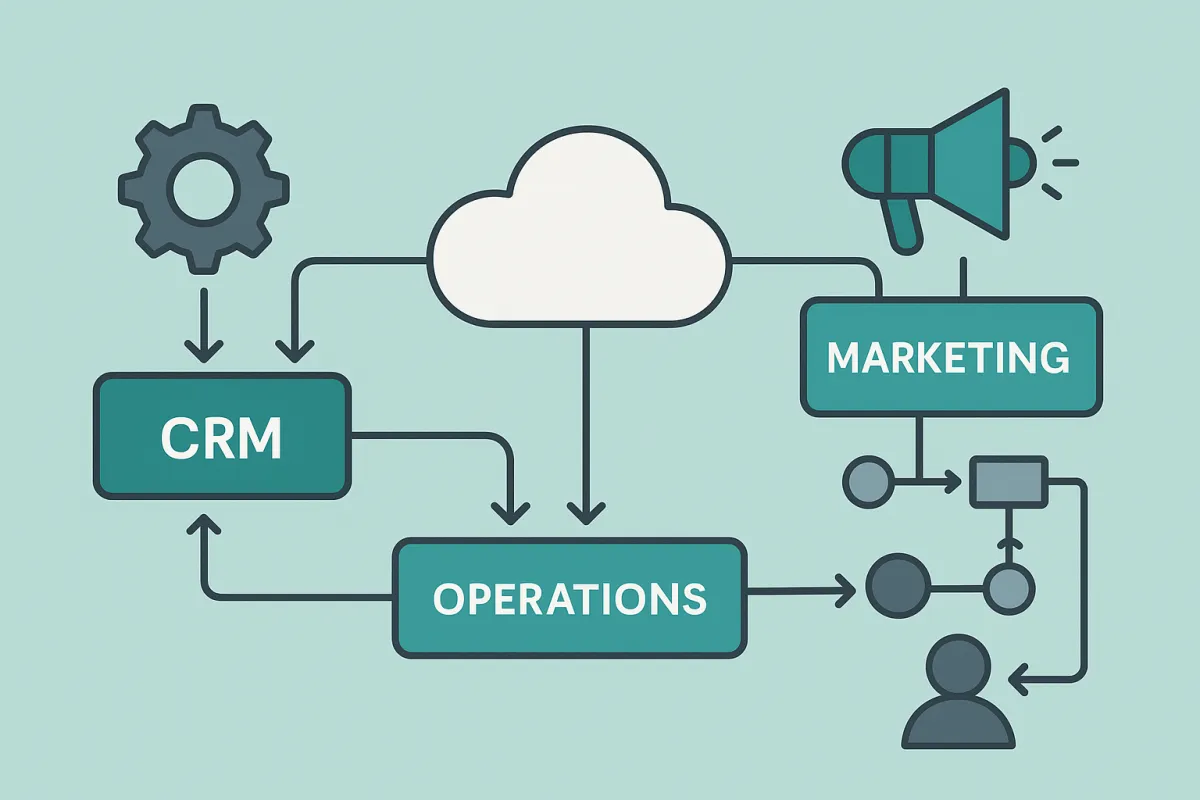
Connecting the Dots: How to Streamline Your CRM, Marketing, and Operations for Maximum Efficiency
Running a business is a lot like managing moving parts in a machine. Your marketing brings in leads, your CRM tracks customers, and your operations team delivers the service — but if these parts aren’t connected, you end up wasting time and losing opportunities.
That’s why building a seamless workflow between your CRM, marketing, and operations is one of the smartest moves you can make in 2025. When these systems work together, your business becomes faster, more organized, and easier to scale.
At CLR Solutions, we help business owners connect their tools so that information flows automatically — saving hours of manual work every week.
Let’s explore what this means and how you can do it too.
1. Why Integration Matters
Most businesses use multiple tools — one for email marketing, one for scheduling, and another for managing leads. The problem? These systems often don’t “talk” to each other.
That means your team might be re-entering the same customer information in several places, which leads to mistakes, duplicate data, and missed follow-ups.
By integrating your CRM with your marketing and operations tools, everything works together:
Leads from your website automatically go into your CRM.
Automated emails and texts follow up with those leads.
Your operations dashboard updates when a customer books or makes a payment.
The result? A system that runs like clockwork, even when you’re not around.
2. Start With a Central CRM
Your CRM (Customer Relationship Management) system should be the “brain” of your business. It stores all your customer data and tracks every interaction — from the first message to the final sale.
For small businesses, we recommend Lead Connector CRM — the all-in-one platform we use at CLR Solutions. It combines CRM, marketing automation, and operations management in one place.
With Lead Connector, you can:
Capture and nurture leads automatically
Send follow-up messages by email or text
Manage appointments, payments, and pipelines
Automate reminders and internal notifications
That means fewer tools, less confusion, and more efficiency across your entire business.
3. Connect Your Marketing Systems
Your marketing should work hand-in-hand with your CRM. When a potential customer engages with your ads, emails, or website, their data should automatically flow into your CRM for follow-up.
Here’s how this connection helps:
From Ads to CRM: Leads from Facebook, Google, or Instagram are added to your contact list instantly.
From Email to CRM: Campaigns are tracked, so you know who opened and clicked.
From Website to CRM: When someone fills out a form or chat widget, your CRM triggers an automated response.
This creates a continuous cycle — marketing generates leads, the CRM nurtures them, and your operations team closes the loop with fulfillment.
4. Streamline Your Operations
Operations automation is where the magic really happens. When your CRM and marketing systems feed directly into your workflow tools, your team always knows what to do next.
For example:
When a lead becomes a client, your CRM can automatically create a task for your operations team.
Once a project is complete, it can trigger a review request or follow-up email.
You can even automate internal notifications so managers are alerted about key updates instantly.
These automations reduce delays, eliminate guesswork, and help your team stay focused on results.
5. Keep It Simple and Scalable
You don’t have to build everything at once. Start small — automate one or two key processes and expand from there.
A good rule of thumb:
Document your workflow. Write out every step from lead to delivery.
Identify bottlenecks. Look for places where manual work slows things down.
Automate repetitive tasks. Start with reminders, follow-ups, or data syncing.
Test and refine. Monitor what works and adjust your automations as you grow.
At CLR Solutions, we create automation roadmaps for clients that scale with their business. That means you’ll never outgrow your systems — they grow with you.
6. The Long-Term Payoff
A seamless workflow does more than save time. It transforms how you operate.
More organization: You can see everything happening in one dashboard.
Better communication: Teams collaborate without needing constant check-ins.
Faster growth: You can serve more clients with the same resources.
Improved customer experience: No lead gets lost, and every client gets consistent follow-up.
Once your CRM, marketing, and operations are connected, your business feels lighter — smoother, faster, and more predictable.
Ready to Build Your Seamless Workflow?
If you’re tired of juggling disconnected systems and want to automate your operations with confidence, CLR Solutions can help. We specialize in setting up CRM-based workflows that tie every part of your business together.
Contact us today to get started.
Final Thought
Connecting your CRM, marketing, and operations isn’t just a tech upgrade — it’s a business transformation. It gives you visibility, speed, and control so you can grow confidently.
At CLR Solutions, we make that process simple.
Reach out today to start building your seamless system.
5 FAQs
Q1. What tools do I need to connect my CRM, marketing, and operations?
A: We recommend starting with a strong CRM like Lead Connector, which already includes marketing and automation features. From there, we can integrate your other tools for a full system that fits your business. Learn more about connecting your systems.
Q2. How long does it take to build a seamless workflow?
A: Most small businesses can set up the core automations within a few weeks. The exact time depends on how many tools you use and how complex your processes are. Book a discovery call to plan your setup.
Q3. Is this expensive to implement?
A: Not at all. Most automation tools are affordable — and the time savings usually cover the cost within months. Plus, you’ll reduce errors and increase productivity. Get a quote tailored to your business.
Q4. Will automation make my team’s jobs harder?
A: No. Automation removes repetitive work so your team can focus on meaningful tasks like strategy and client care. It’s about working smarter, not harder. Find out how automation supports your team.
Q5. Can CLR Solutions help manage everything after setup?
A: Yes! We provide ongoing support, updates, and training to ensure your workflow continues running smoothly as your business evolves. Schedule a consultation with our team.